Platform-Specific Posting: How to Adapt One Piece of Content for Instagram, LinkedIn, Twitter, and TikTok
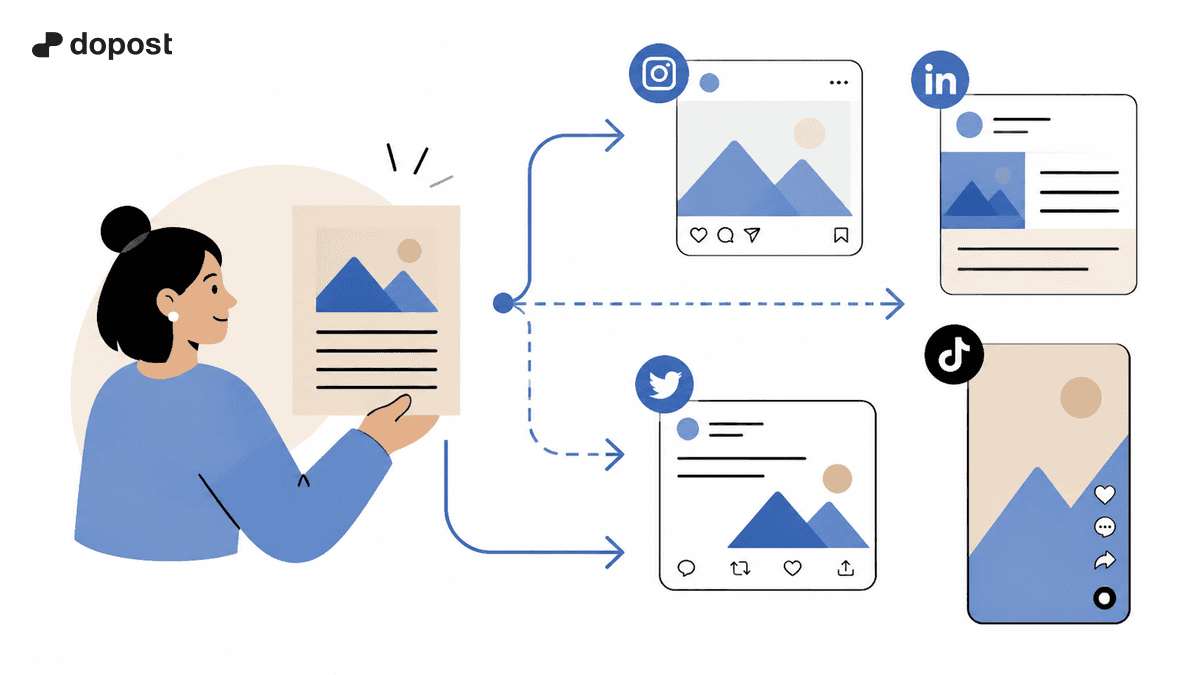
Creating content for every social media platform from scratch is exhausting. The smartest creators and brands repurpose a single idea across multiple channels — but they adapt it to fit each platform's unique culture, format, and audience expectations.
In this guide, you'll learn exactly how to take one core piece of content and transform it for Instagram, LinkedIn, Twitter (X), and TikTok — without sounding repetitive or out of place.
Why You Should Repurpose, Not Copy-Paste
Posting the same text and image across all platforms is a missed opportunity. Each platform has its own algorithm, audience behavior, and content format preferences. What works on LinkedIn will likely flop on TikTok, and vice versa.
Repurposing means adapting the core message while changing the format, tone, and structure to match each platform's strengths.
Benefits of platform-specific repurposing:
- Save hours of content creation time
- Reach different audience segments with the same idea
- Improve engagement rates on every channel
- Maintain a consistent brand message across platforms
Step 1: Start With a Core Content Piece
Before adapting anything, create one strong piece of "pillar" content. This could be:
- A blog post or article
- A podcast episode
- A video tutorial
- A detailed case study
- An original research report
The key is that it should contain enough substance to be broken into multiple angles and formats.
Step 2: Adapt for Instagram
Instagram is visual-first. Your content needs to stop the scroll with strong imagery or design.
Format options:
- Carousel posts (up to 20 slides) — perfect for step-by-step guides
- Single image with a compelling caption
- Reels (short video, 15-90 seconds)
- Stories for behind-the-scenes or quick tips
Tone: Conversational, inspiring, relatable. Use emojis strategically. Break up long captions with line breaks.
Best practices:
- Lead with a hook in the first line of your caption
- Use 3-5 relevant hashtags (quality over quantity)
- Include a call-to-action (save, share, comment)
- Design carousels with bold text and minimal clutter
Example transformation: A blog post about "5 Email Marketing Mistakes" becomes a 5-slide carousel, each slide highlighting one mistake with a visual icon and brief explanation.
Step 3: Adapt for LinkedIn
LinkedIn favors professional, value-driven content. The audience is there to learn, network, and grow their careers.
Format options:
- Text-only posts (often perform best)
- Document carousels (PDF uploads)
- Short native videos
- Articles for long-form content
Tone: Professional but authentic. Personal stories perform well. Avoid being overly salesy.
Best practices:
- Open with a bold statement or surprising statistic
- Use short paragraphs (1-2 sentences each)
- Add white space between lines for readability
- End with a question to drive comments
- Tag relevant people or companies when appropriate
Example transformation: That same email marketing blog becomes a text post starting with "I audited 50 email campaigns last month. Here's what I found..." followed by the 5 mistakes as a numbered list with brief commentary.
Step 4: Adapt for Twitter (X)
Twitter is about brevity, wit, and real-time relevance. Content needs to be sharp and immediately engaging.
Format options:
- Single tweets (up to 280 characters)
- Thread format (numbered tweets telling a story)
- Quote tweets with commentary
- Polls for engagement
Tone: Direct, opinionated, sometimes provocative. Humor works well. Be concise.
Best practices:
- Threads should start with a hook tweet that makes people want to read more
- Number your tweets in threads (1/7, 2/7, etc.)
- Use line breaks within tweets for readability
- End threads with a summary and CTA to follow/retweet
- Reply to your own thread with bonus tips
Example transformation: The email marketing post becomes a thread: "I see the same 5 email marketing mistakes destroying open rates. Thread 🧵" followed by one tweet per mistake.
Step 5: Adapt for TikTok
TikTok is entertainment-first, even for educational content. Your content needs personality and energy.
Format options:
- Talking head videos with text overlays
- Screen recordings with voiceover
- Trending audio with adapted content
- Stitch or duet with relevant creators
Tone: Casual, energetic, authentic. Don't be overly polished — raw and real performs better.
Best practices:
- Hook viewers in the first 2 seconds
- Keep videos between 30-60 seconds for optimal reach
- Use trending sounds when they fit naturally
- Add captions/subtitles (85% of users watch without sound)
- End with a CTA or cliffhanger to boost watch time
Example transformation: Film yourself saying "Stop making these email marketing mistakes" while pointing at text overlays that appear one by one, with a trending background sound.
The Adaptation Framework: A Quick Reference
Here's a summary table for quick reference when repurposing:
- Instagram: Visual-first, carousel or Reel, conversational tone, use hashtags
- LinkedIn: Value-driven, text post or document, professional tone, ask questions
- Twitter: Brief and sharp, thread or single tweet, direct tone, use hooks
- TikTok: Entertainment-first, short video, casual tone, trending sounds
Common Mistakes to Avoid
- Copy-pasting the same text everywhere — each platform deserves unique adaptation
- Ignoring platform-specific features — use carousels on Instagram, threads on Twitter
- Using the wrong aspect ratio — vertical for TikTok/Reels, square or landscape for LinkedIn
- Posting at the same time on all platforms — each has different peak hours
- Not engaging with comments — the algorithm rewards conversations, not just posts
Workflow: From One Idea to Four Posts
Here's a practical workflow you can follow every week:
- Create your pillar content piece (blog, video, podcast)
- Extract 3-5 key takeaways or angles
- Write your LinkedIn text post first (it translates well to other formats)
- Condense into a Twitter thread
- Design an Instagram carousel using the key points
- Film a quick TikTok covering the main takeaway
- Schedule everything using a content calendar
This entire process can take as little as 2 hours once you have a system in place.
Final Thoughts
The best content creators don't create more — they create smarter. By mastering platform-specific adaptation, you multiply your reach without multiplying your workload.
Start with one strong idea. Adapt it thoughtfully for each platform. Watch your engagement grow across every channel.