When Your Audience is Actually Scrolling: The Science Behind Instagram Timing
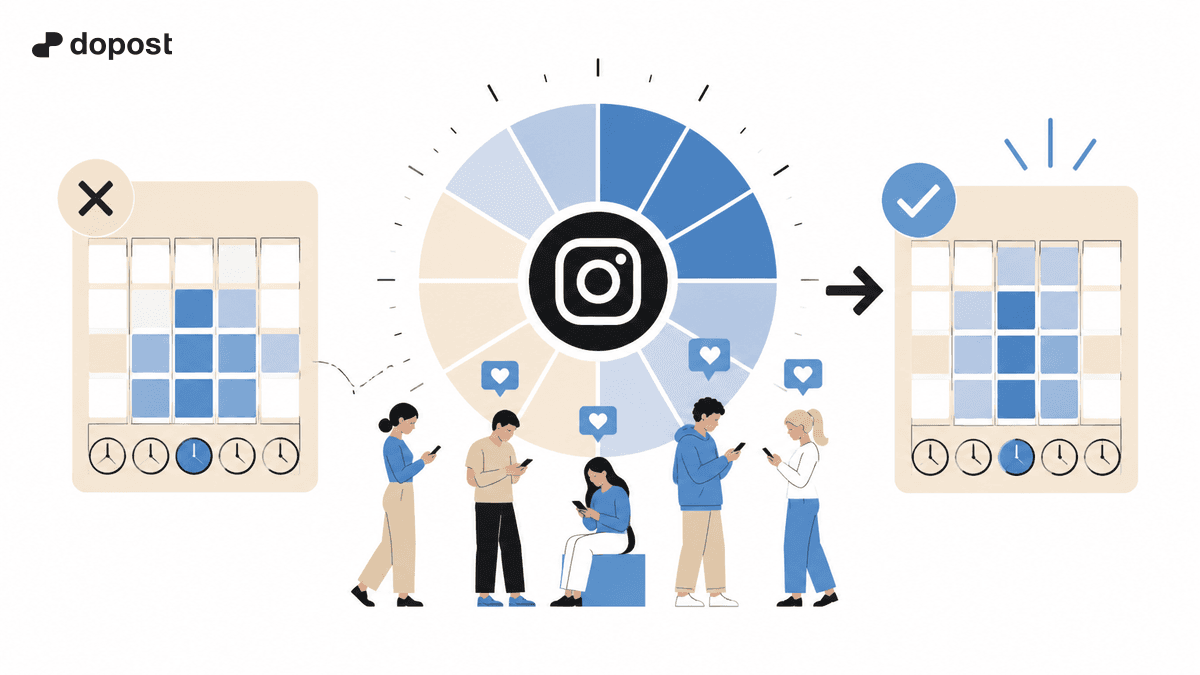
You've crafted the perfect post. The image is stunning, the caption is sharp, and the hashtags are on point. But if you publish it when your audience is asleep or stuck in meetings, it might as well not exist. Timing on Instagram isn't just a nice-to-have — it's one of the most controllable factors that determine whether your content gets seen or buried.
In this deep dive, we'll explore what the data actually says about Instagram timing, why generic "best time to post" charts are misleading, and how to find the exact windows when your specific audience is most active.
Why Timing Matters More Than You Think
Instagram's algorithm prioritizes recency. When a user opens the app, the algorithm serves them a mix of content, heavily weighted toward posts published recently. A post that's two hours old competes differently than one that's twelve hours old.
The first 30-60 minutes after publishing are critical. During this window, the algorithm evaluates your post's initial engagement — likes, comments, saves, and shares — to decide how widely to distribute it. If your audience isn't online during this window, your post gets fewer initial interactions, and the algorithm shows it to fewer people.
This creates a compounding effect:
- Post when your audience is active → higher initial engagement
- Higher initial engagement → algorithm pushes to more feeds
- More feeds → more total engagement and reach
- More reach → profile visits, follows, and website clicks
The opposite is equally true: posting at the wrong time can cut your reach by 30-50%, even with identical content quality.
Why Generic "Best Times to Post" Are Wrong
You've probably seen those infographics claiming the best time to post on Instagram is Tuesday at 11 AM or Thursday at 7 PM. These charts are based on aggregated data from millions of accounts across all industries, time zones, and audience types.
The problem: Your audience isn't "average." A fitness brand targeting early risers in California has a completely different optimal posting window than a B2B SaaS company targeting European executives.
Generic timing recommendations fail because:
- Time zones vary. If your audience spans multiple continents, "11 AM" means nothing without context.
- Industries have different patterns. Food content peaks during meal times. Business content peaks during commute hours. Entertainment content peaks in the evening.
- Audience demographics matter. Students, parents, professionals, and retirees all have different scrolling habits.
- Platform usage changes. What was true in 2023 may not apply in 2026 as user behavior evolves.
The only truly accurate "best time" is the one derived from your own audience's behavior.
How Instagram's Algorithm Handles Timing
Instagram doesn't use a simple chronological feed. The algorithm uses a ranking system that weighs multiple signals, with timing being a significant one.
Key signals related to timing:
- Recency: Newer posts get priority. The algorithm wants to show fresh content.
- Relationship strength: If a user frequently interacts with your content, they'll see your posts regardless of timing — but timing still affects how quickly they see it.
- Content type preferences: The algorithm knows when a user typically engages with Reels vs. feed posts vs. Stories, and can prioritize accordingly.
- Session timing: The algorithm considers when a user typically opens the app and what content they engage with during different times of day.
What this means for you: Posting when your audience opens the app gives your content the best chance of being served in that first batch of content the algorithm delivers.
How to Find Your Audience's Active Hours
Method 1: Instagram Insights (Native Analytics)
If you have a Business or Creator account, Instagram provides direct data about when your followers are most active.
Where to find it:
- Go to your profile → tap the Insights button
- Navigate to "Total Followers"
- Scroll down to "Most Active Times"
- Toggle between Hours and Days
What you'll see: A bar chart showing follower activity by hour for each day of the week. The taller the bar, the more followers are active during that hour.
How to read it correctly:
- Don't just look at the peak hour — look at the range of high-activity hours
- Compare weekdays vs. weekends (patterns often differ significantly)
- Note that Instagram shows times in your local time zone
- Check this data monthly, as it can shift with audience growth
Method 2: Engagement Pattern Analysis
Track your post performance over time to identify patterns your native analytics might miss.
What to track:
- Post time (exact hour and day)
- Engagement rate within the first hour
- Total reach after 24 hours
- Engagement rate after 24 hours
- Content type (carousel, reel, single image, etc.)
How to analyze:
- Export your last 30-50 posts with their metrics
- Group posts by the hour they were published
- Calculate average engagement rate per time slot
- Identify your top 3 performing time windows
- Cross-reference with your Insights data
This method is more work but reveals nuances that Insights alone can't show, like whether your audience engages differently with Reels vs. carousels at different times.
Method 3: Strategic Testing
Run deliberate tests by posting similar content at different times.
The testing framework:
- Create 8-10 posts of similar quality and format
- Post them at different times across a 2-week period
- Keep other variables constant (hashtags, caption length, content type)
- Measure engagement rate (not just total likes — rate matters more)
- Identify the time slots that consistently outperform
Important: Run at least 2-3 posts per time slot to account for natural variation. A single post isn't a statistically reliable test.
The Science of Scrolling Behavior
Understanding when and why people open Instagram helps you anticipate the best posting windows.
Morning scroll (6:00-9:00 AM):
People check their phones within minutes of waking up. Instagram usage spikes as users scroll through what they missed overnight. This is a high-competition window because many brands also post in the morning.
Commute window (7:30-9:00 AM and 5:00-6:30 PM):
Users on public transport or waiting in traffic (passengers, not drivers) often scroll through social media. Short-form content like Reels tends to perform well during commute hours.
Lunch break (11:30 AM-1:30 PM):
A significant activity spike occurs as people take breaks from work or school. This is often cited as a peak time, and data supports it across most demographics.
Afternoon lull (2:00-4:00 PM):
Activity dips as people return to work or school. However, this can be a strategic window because there's less competition — your post may stand out more.
Evening prime time (7:00-10:00 PM):
The highest overall Instagram usage period. People are relaxed, done with work, and have time to engage deeply. Longer captions, carousels, and content that requires more attention tend to perform best here.
Late night (10:00 PM-12:00 AM):
A smaller but highly engaged audience. Younger demographics (18-24) tend to be most active during this window. If your audience skews young, don't neglect late-night posting.
Weekends:
Activity patterns shift. Morning usage typically starts later (8:00-10:00 AM instead of 6:00-7:00 AM). Leisure content, lifestyle posts, and entertainment perform well throughout the day.
Time Zone Strategy for Global Audiences
If your audience spans multiple time zones, optimizing timing becomes more complex.
Strategy 1: Target your largest audience cluster.
If 60% of your audience is in one time zone, optimize for that zone. Accept that you'll miss some engagement from other regions.
Strategy 2: Post during overlap windows.
Find hours where multiple time zones are simultaneously active. For example, 12:00 PM EST is 6:00 PM in Central Europe — both regions are active at that time.
Strategy 3: Use Instagram's scheduling to post multiple times.
If you have distinct audience clusters in different regions, consider posting at different times each day to rotate coverage. Monday might target your US audience, Tuesday your European audience, etc.
Strategy 4: Leverage Stories and Reels differently.
Stories disappear after 24 hours and can be posted at any time. Use Stories throughout the day for always-available content while timing your feed posts more strategically.
How Posting Frequency Interacts With Timing
Timing and frequency work together. The optimal posting frequency depends partly on when you're posting.
Key insights:
- Posting twice on the same day at peak times often hurts both posts' performance (they compete against each other)
- Spreading posts across different peak windows (morning one day, evening the next) maximizes total reach
- Stories can be posted frequently without negative effects on feed post performance
- Reels have a longer shelf life than feed posts, so timing matters slightly less for Reels — but it still matters for that critical first hour
Seasonal and Behavioral Shifts
Instagram usage patterns aren't static. They shift with seasons, holidays, and cultural events.
Summer months: People are outdoors more and may scroll during different hours. Beach and travel content performs well but posting patterns shift.
Holiday seasons: December sees massive Instagram usage but also massive competition. Adjust your timing to avoid getting lost in the noise.
Major events: During global events (World Cup, elections, viral moments), Instagram usage spikes but attention is split. Timing posts around these events requires flexibility.
Algorithm updates: Instagram periodically adjusts its algorithm, which can affect how timing impacts distribution. Stay current with platform changes.
Practical Action Plan
Here's your step-by-step plan to optimize your posting timing starting today:
- Check your Instagram Insights right now. Screenshot your audience's most active hours for each day.
- Analyze your last 20 posts. Note the time you posted and the engagement rate (engagement / reach). Identify which times performed best.
- Identify your top 3 posting windows. These should be times where audience activity and your historical performance overlap.
- Test for 2 weeks. Post consistently during your identified windows. Track results.
- Refine monthly. Re-check Insights and performance data monthly. Adjust as your audience grows or shifts.
- Set up scheduling. Use a scheduling tool so you can post at optimal times without being glued to your phone.
Common Timing Myths Debunked
Myth: "There's one universal best time to post."
Reality: The best time depends on your specific audience, industry, and content type.
Myth: "Posting more often is always better."
Reality: Quality and timing matter more than quantity. Two well-timed posts outperform five poorly-timed ones.
Myth: "You should never post on weekends."
Reality: Weekend engagement rates are often higher because there's less competition from brands and more leisure scrolling.
Myth: "The algorithm only cares about the first 30 minutes."
Reality: The first 30-60 minutes are critical, but good content continues to get distribution for hours or even days (especially Reels).
Myth: "Scheduling tools hurt your reach."
Reality: Instagram has confirmed that using scheduling tools (including their native scheduler) does not affect post distribution.
Conclusion
Timing your Instagram posts isn't about following a generic chart — it's about understanding your specific audience's behavior and aligning your publishing schedule with their scrolling habits. The data is already available to you through Instagram Insights and your own performance history.
The difference between a good posting time and a bad one can mean 30-50% more reach with zero additional effort in content creation. That's the easiest growth lever most accounts aren't pulling.
Check your data. Test your timing. Watch your engagement grow.