AI Agents for Social Media: What to Delegate and What to Keep Under Review
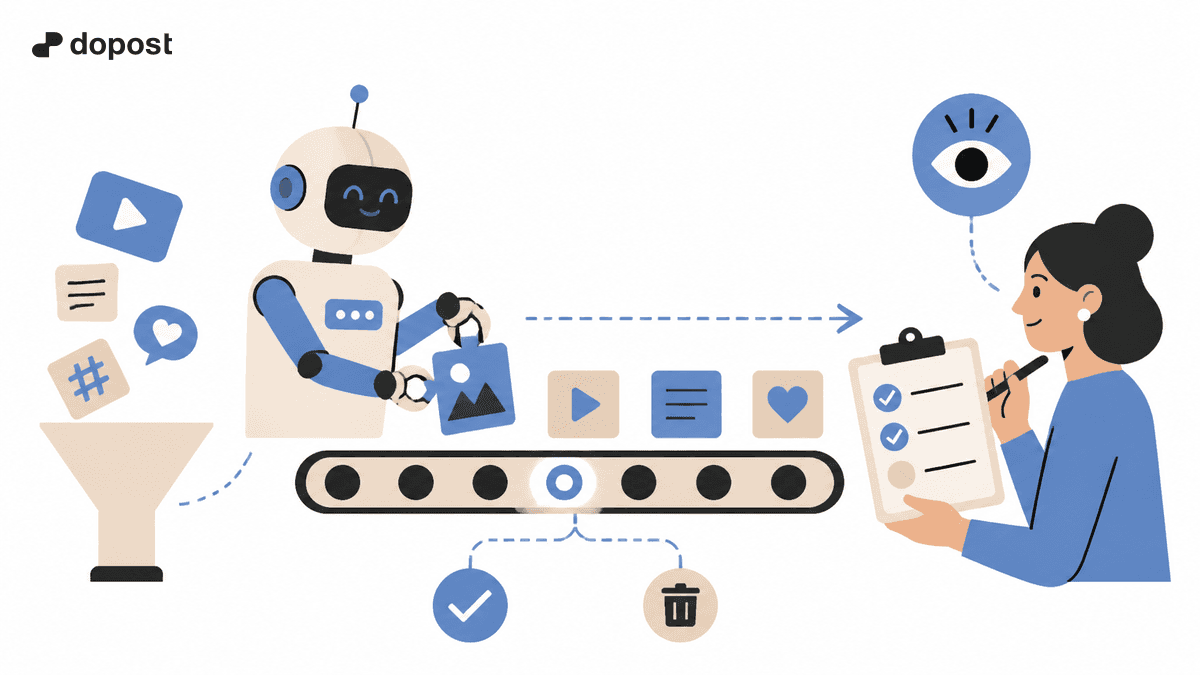
AI can help with social media when it takes a clear job off your plate. It might turn a product update into draft posts, adapt a caption for another platform, or help prepare a publishing schedule.
Start with the job that takes too much time. If writing is the problem, try a writing assistant. If finished posts are waiting to go out, a scheduler may be enough. An agent becomes useful when a task involves several connected actions.
This guide shows how to try a small workflow, review the work and decide whether to use it more often.
Understand the three types of help
These are useful working descriptions. A product may combine more than one role.
| Type | What it helps with | What you decide |
|---|---|---|
| Writing assistant | Drafting, rewriting and adapting copy | Which facts it can use and which drafts to keep |
| Scheduler | Publishing prepared posts at planned times | The final copy, account, media and time |
| Agent | Choosing and carrying out several actions toward a goal | Which actions it can take and when it must ask you |
The label alone tells you little about the access a tool receives. Check what it can actually do. An agent can still pause for your review before a post goes live.

Try one small workflow
Imagine you have an approved product update and need three posts: an announcement, a short explanation and a reminder. You can try this with a connected assistant, asking it to wait for your review before scheduling.
1. Give it the facts
Provide the update and a short note about your audience and tone. Include the details the posts need: what changed, who it helps, when it is available and the page readers should visit.
A useful first request could be:
Turn this approved product update into three draft posts: an announcement, an explanation and a reminder. Use only the facts provided. Flag anything missing and wait for my review.
Ask for a few drafts first. You will learn more from reviewing a small set than from generating a month of posts that all repeat the same mistake.
2. Review and adapt the drafts
Check the facts, links and promises. Pay attention to small phrases such as “available now” or “included in every plan”: they can change the meaning of an otherwise accurate post.
Then adapt each draft for its destination. An Instagram caption and a LinkedIn post may need different openings or lengths, while keeping the same facts.
Give specific feedback. “Open with the customer’s problem” or “remove the claim about saving time” is easier to act on than “make it better.” Keep the version you approve so that later edits do not replace it by mistake.
3. Schedule the approved version
Choose the account, attach the right media and set the time and time zone. Check the preview before saving the scheduled post.
With Dopost’s AI connections, you can take this step from the assistant conversation. ChatGPT and Claude connect through MCP: the assistant prepares the copy, and Dopost handles the publishing and scheduling actions you authorize.
After reviewing a draft, you could ask:
Use Dopost to schedule the announcement I just approved on my connected LinkedIn account tomorrow at 09:00. Show me the scheduled post and its status.
The connection method depends on the agent: Grok Build uses MCP, while Grok Bot uses the Dopost skill. Start with the setup guide for your agent. Once a post is scheduled, Dopost can publish it without keeping the conversation open.
Once the scheduled time has passed, check the live result. Confirm that the copy, image and destination match the version you approved.
Keep a few decisions with a person
Drafting and preparing content are useful places to start. Give closer attention to actions that affect customers or make a commitment on behalf of the business.

- Product claims: check prices, availability, results and promises before publishing.
- Customer replies: review responses that involve complaints, personal details or commitments.
- Account access: grant the permissions the task needs and know how to disconnect the tool.
You do not need to design a complicated approval system for a few drafts. Decide who checks the copy and which actions need their approval. Add more detail when the workflow, team or consequences require it.
Check whether it saves you work
Compare the trial with the way you normally prepare a similar batch. Count the whole job: providing the source, asking for drafts, reviewing, correcting and scheduling.
Look at three things:
- Did it reduce the total work, including corrections?
- Were the drafts accurate and close to the tone you wanted?
- Did the approved posts appear as intended?
If the drafts need extensive rewriting, improve the source material or try a smaller task. If the process is useful, repeat it before adding more steps.
Start with a few posts. Once that works well, try a larger batch and review the result again. Change one part of the workflow at a time so you can tell what helped.
Choose the next step for your bottleneck
Use writing assistance when getting a usable draft is the slow part. Use scheduling when approved content is ready and you need a reliable publishing routine. Consider an agent when several repeated actions can be connected with clear instructions and suitable access.
For help preparing the material first, see the social media content-batching guide.
Begin with one useful task. Keep the parts that save work, fix the parts that create extra editing, and expand when the results justify it.